

How to set up an Email Forwarder

Step 1

Log into cPanel and navigate to "Email"

Step 2

  Click on Forwarders (located in the EMAIL section).

Step 3

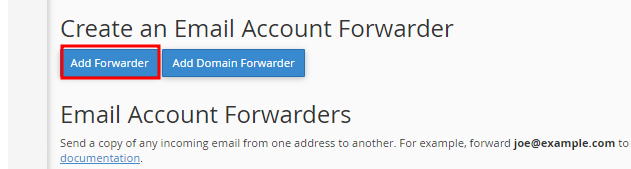
Click on "Add Forwarder"
Step 4

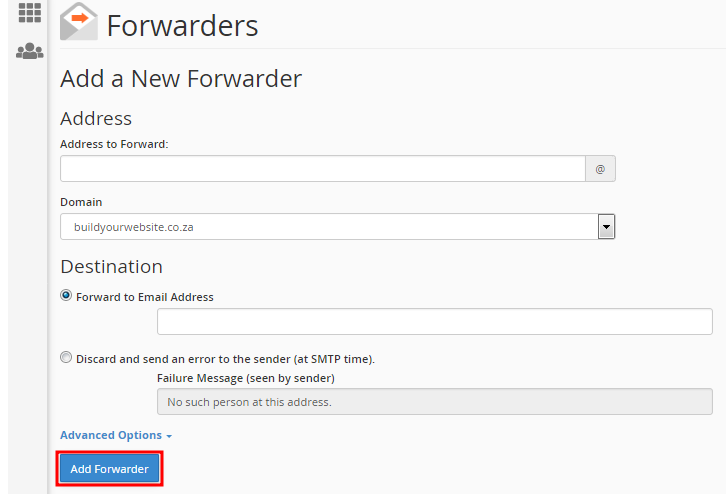
  • Enter the email account in the "Address to forward"
  • Select your domain name form the managing list.
  • Enter an email address in the Forward to Email Address field.
  • Email
  • 1 Users Found This Useful
Was this answer helpful?

Related Articles

How do I setup my email in Microsoft Outlook 2010?

Open Outlook 2010. Go to File -> Info -> Add Account. Select the "Manually configure server...

How to change an email password

Log into cPanel and navigate to Email Accounts Click here to log in to your cPanel account....

How to access Webmail

Step  1 Open your browser of choice(Google Chrome, FireFox, Opera mini). Type in...

How do I setup an email account in Outlook Express

Setting up an email account in outlook express. Follow the steps below and you will have your...

Powered by WHMCompleteSolution
