

Log into your control panel and open your SiteBuilder
- Click here to log in to your cPanel account.
- Click on New Woza Online SiteBuilder (located in the Software section).
Update the contact form
- Navigate to the page where the contact form is located.
- Hover your mouse over the form and click on the pencil icon in the top right corner.
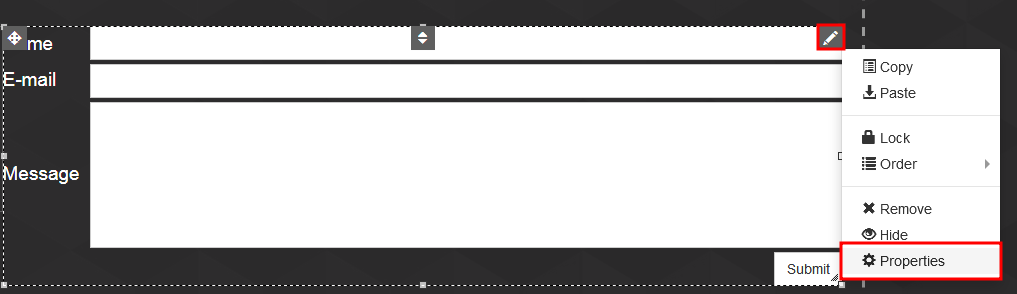
- Click on Properties (from the list).
- Click on E-mail settings (at the top of the Properties dialog box).
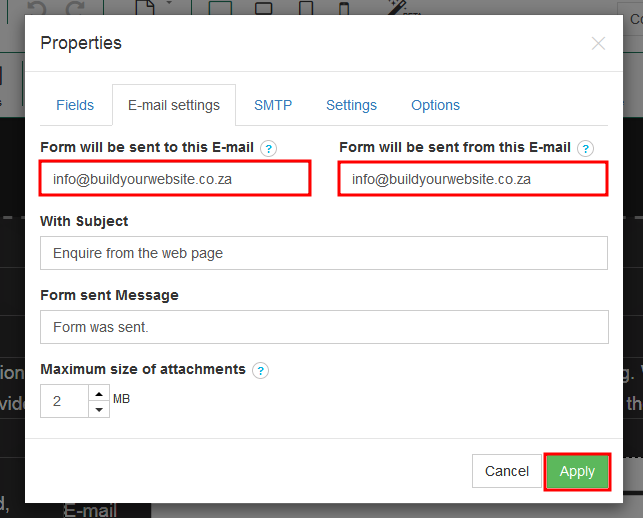
- Enter your email address in the two email boxes.
- Click on Apply.
- Click on Publish.
