Step 1
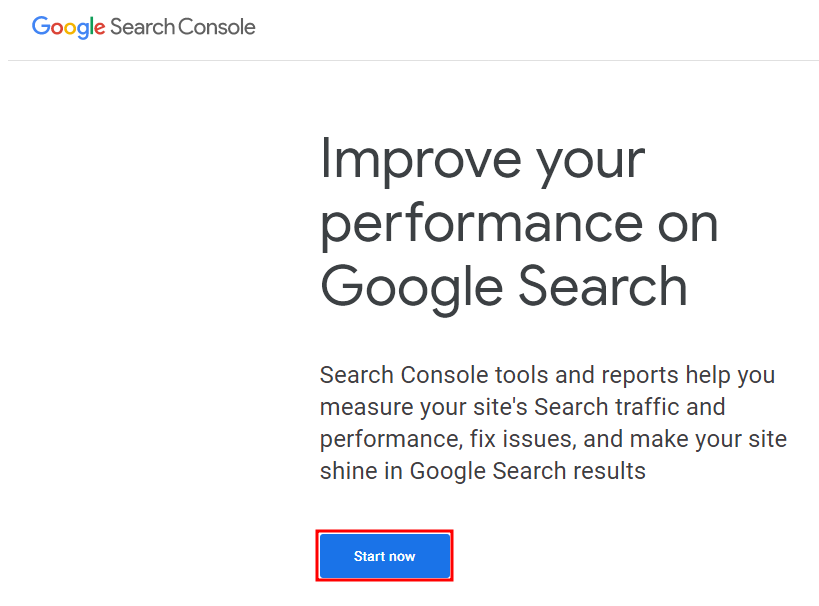
Navigate to Google Search Console.
Link : https://search.google.com/search-console/about
Click start now.
Step 2
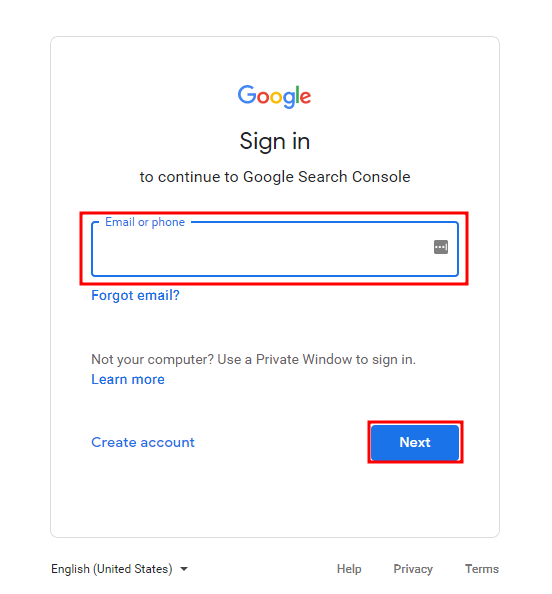
Sign in with your Email Adress.
Step 3
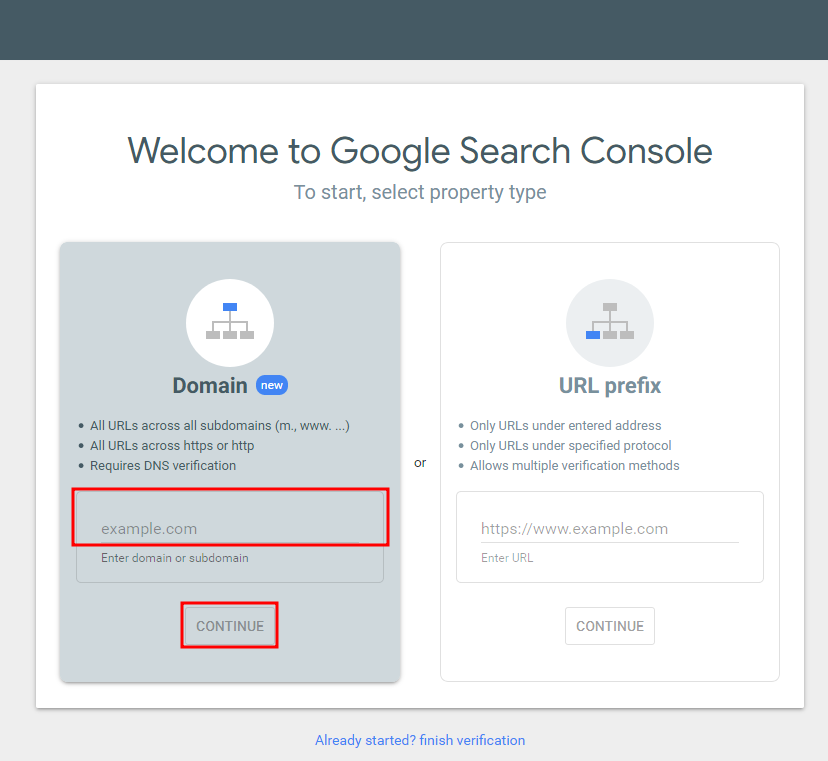
Enter your domain name.
Step 4
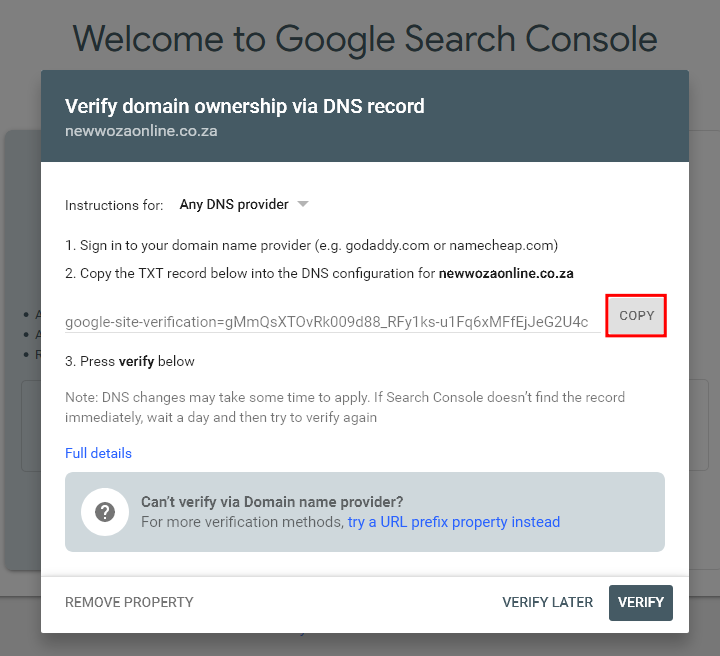
Copy the TXT record.
Step 5
Sign into cPanel.
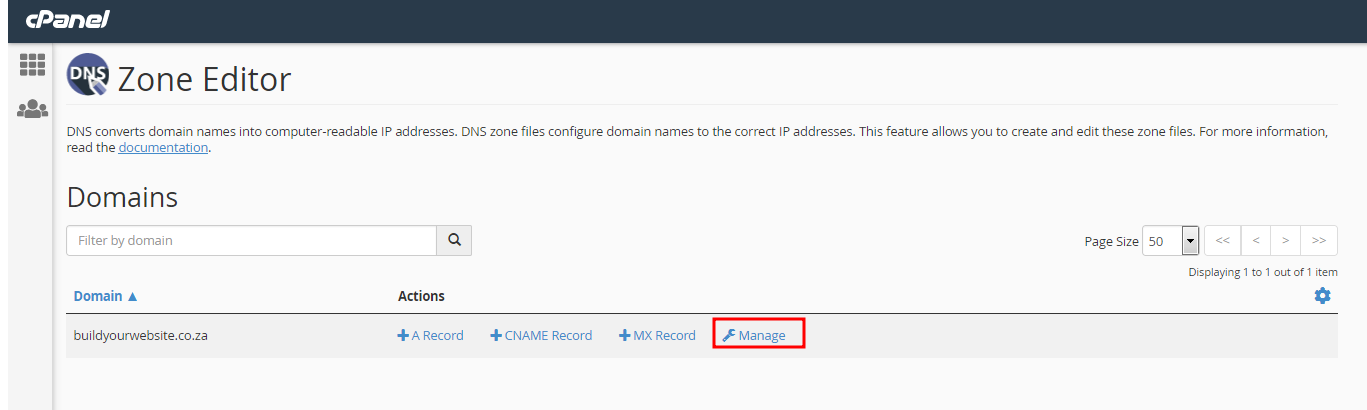
Navigate to DOMAINS, Click on Zone Editor.

Step 6
Click on Manage.
Step 7
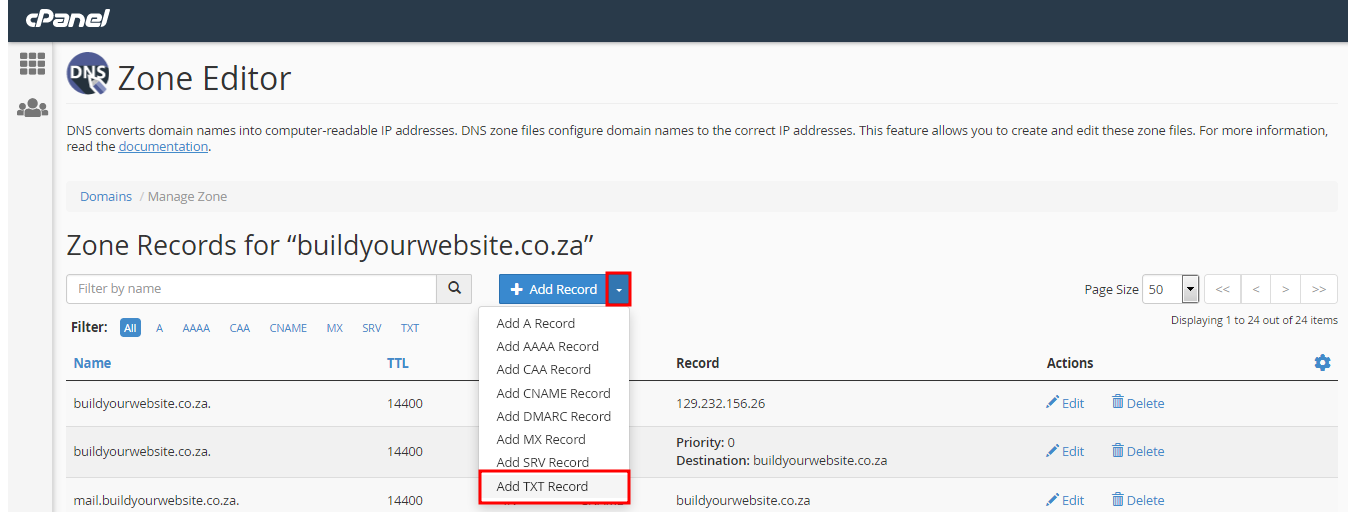
Click on the drop-down menu of add record.
Select add TXT Record.
Step 8
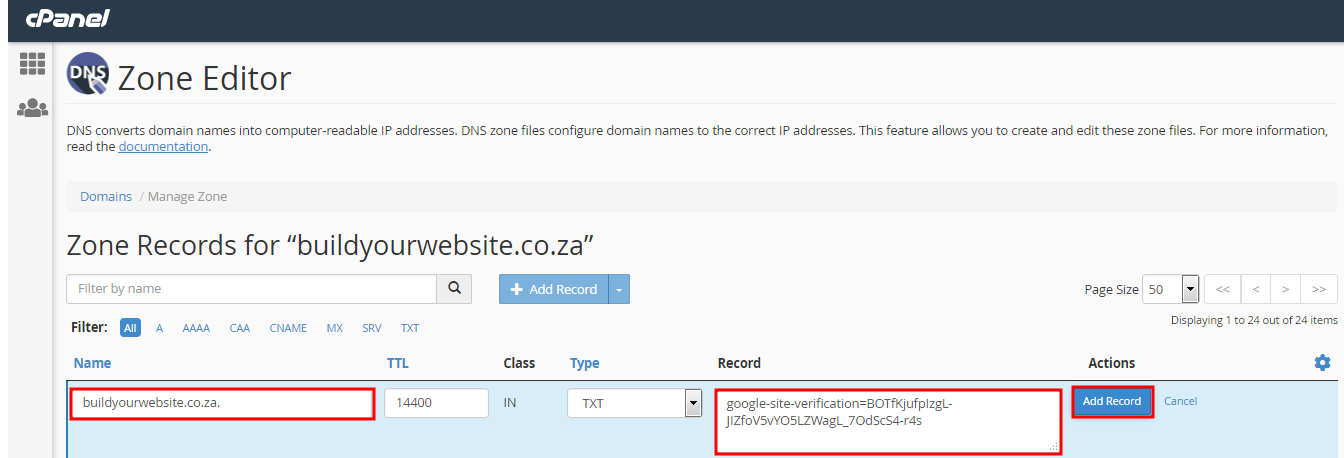
Enter your Domain name, And paste the TXT Record you copied.
Click add Record.
Step 9
Go back to your open Tab where you opened Google Search Console.
Click Verify.
Step 10
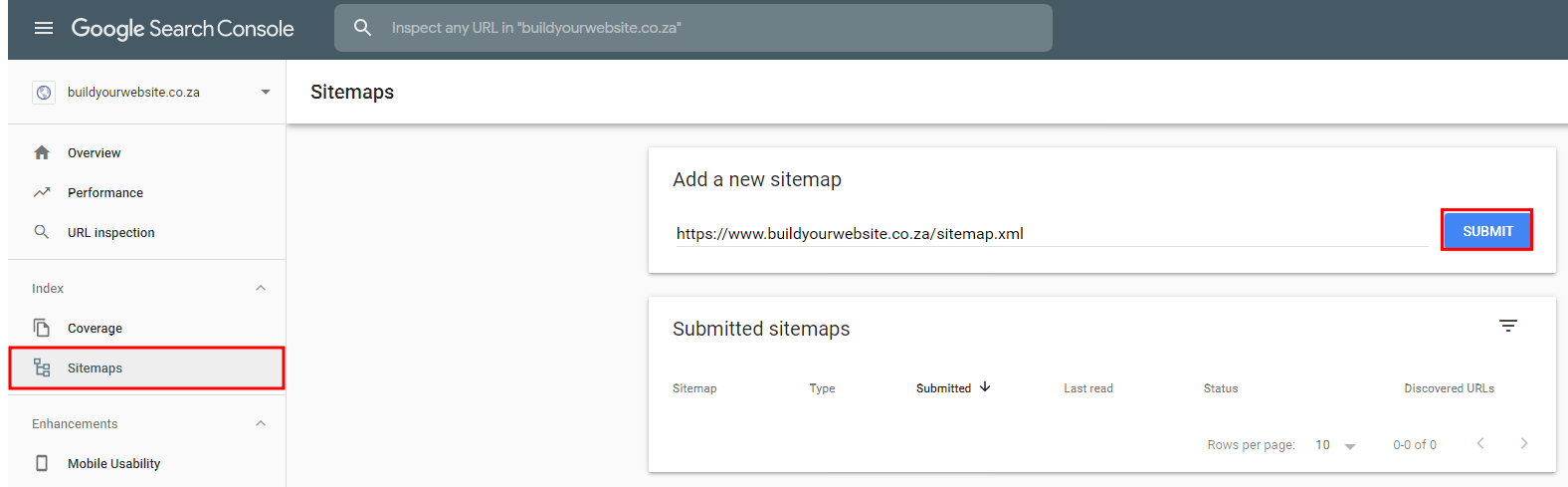
Click on Sitemaps in the left hand side window.
Example of where to find your sitemap.
Link: https://www.buildyourwebsite.co.za/sitemap.xml.
Navigate to your website, And at the ending type /sitemap.xml, Highlight the url, Copy and paste it in the field below as show.
Click submit.