

Step 1
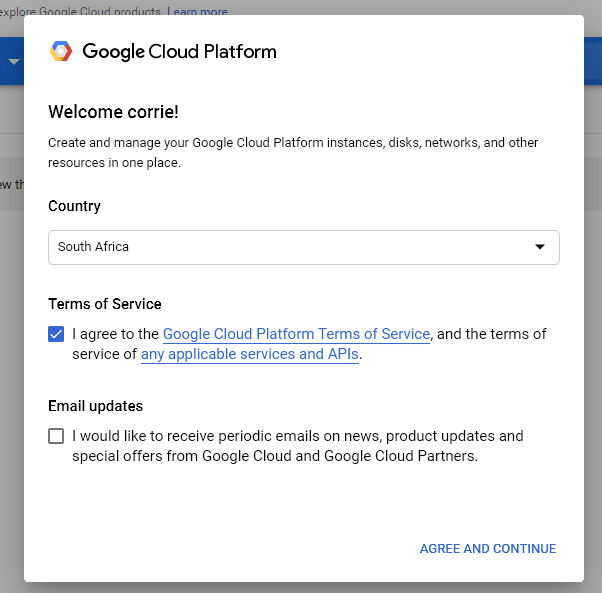
Visit the Google Cloud Platform Console.
Step 2
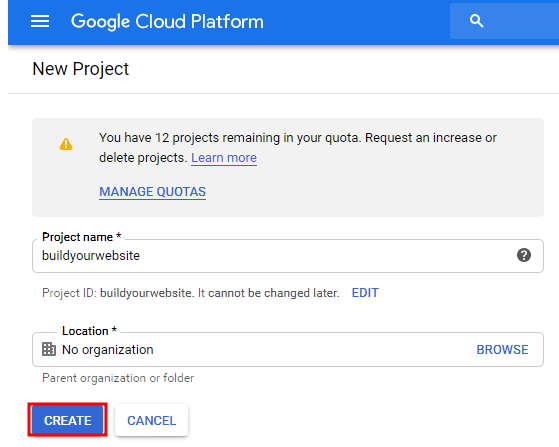
Click the project drop-down and select or create the project for which you want to add an API key.
Step3
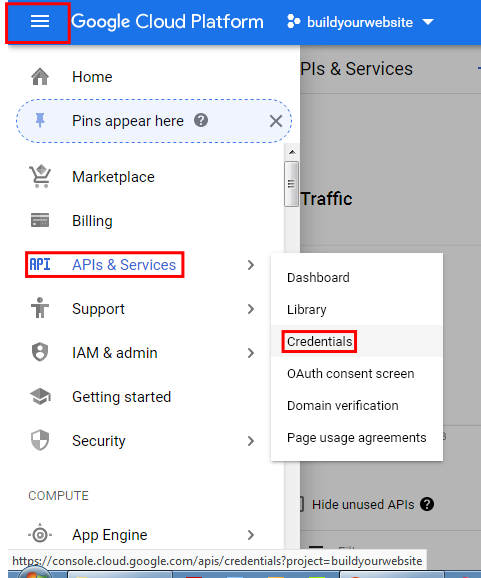
- On the Credentials page, click Create credentials > API key.
- The API key created dialog displays your newly created API key.
Step 4
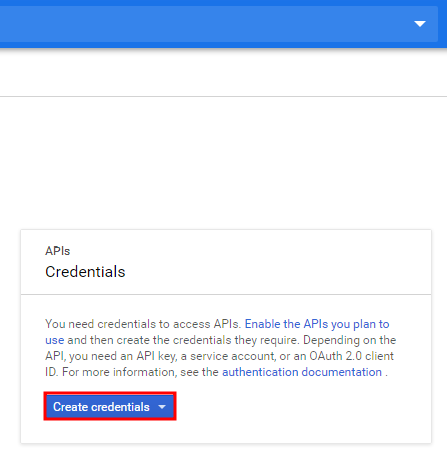
- Click on "Create credentials.
- Copy API key.
Step 5
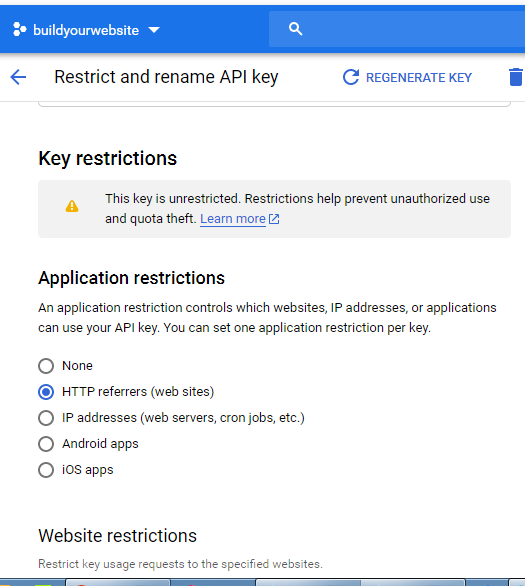
In the Application restrictions section tick box "HTTP referrers(website).
Click Save.
step 6
In your New Woza Online sitebuilder, Navigate to the location on your website where you placed Google maps.
Remember to move the red location pointer to your address.
- Click on the pencil
- Select properties
- Input Google api key that you copied earlier
- Click save
